Physical model
Static
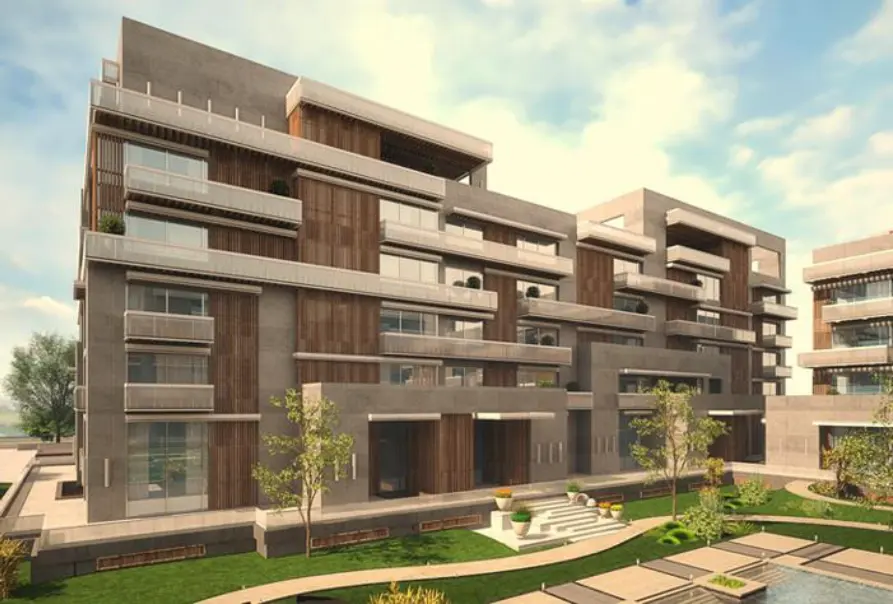
A fixed scale, seen from the outside. Buyers look, but they cannot explore.
Digital Maquette
Free 3D navigation
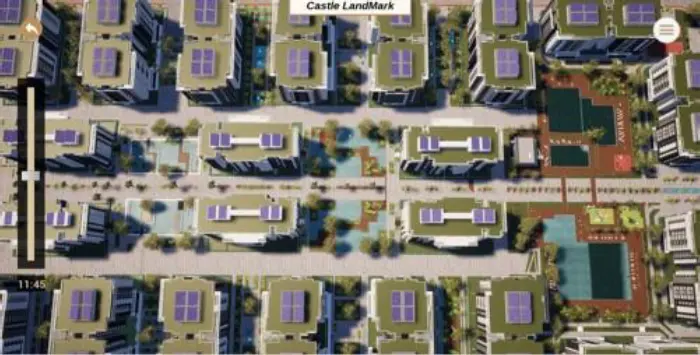
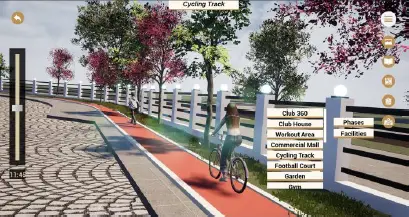
Rotate, zoom and explore the development with your fingers.
Digital Maquette
Total control at a touch. Highlights revealed with a swipe. Your development in 3D, with floor plans, units and location on touchscreens at the sales center.

A digital maquette is an interactive 3D representation of a real estate development, shown on touchscreens at the sales center. It replaces the physical scale model: buyers rotate the project, zoom in, choose a unit and see floor plans, location and highlights with a touch of their fingers.
Our purpose
Simplicity has always been at the heart of Nabexa. For us, simplicity means making every step as smooth and easy as possible for our clients, offering the closest picture of what they will see in real life.
Our drive to offer interactive, informative technology led us to create theNabexa Digital Maquette: a system that understands what buyers really need and turns real estate developments into a more realistic, relatable presentation. It replaces the traditional physical scale model and delivers a more complete and engaging experience.
Try it
Browse the menu just as you would on the sales center screen. The development, floor plans, highlights, gallery and location, brought together in one simple, engaging experience.

Rotate, zoom and explore the development with your fingers.
Type B · 3 bedrooms
Illustrative floor plan
Talk to a sales agent
Leave your details and receive the floor plan and information for the unit you chose.
Illustration: no data is sent in this example.
Physical model × Digital Maquette
The Digital Maquette keeps the wow factor of a traditional scale model and adds what it simply cannot offer.
Physical model
A fixed scale, seen from the outside. Buyers look, but they cannot explore.
Digital Maquette
Rotate, zoom and explore the development with your fingers.
Physical model
Façade and site plan. Floor plans, units and surroundings are left out.
Digital Maquette
Floor plans, units, location and content in text, image and video.
Physical model
A new phase or a design change? The piece has to be rebuilt or refurbished.
Digital Maquette
Because it is digital, the content can be updated without rebuilding a physical piece.
Features
The Digital Maquette brings together every detail of the development, its location and its units, in any format.
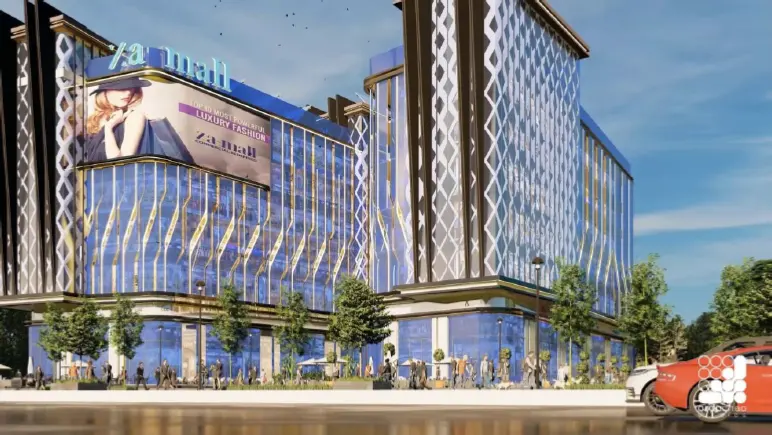
Façade, site plan and landscaping with free navigation: buyers see the project as it will be.
Every unit type on a touchscreen, with its floor plan and details one tap away.
Rotate, zoom and explore with your fingers. Intuitive for buyers, simple for sales agents.
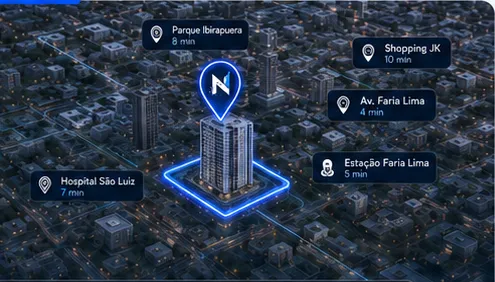
What is around the development: what is nearby and how to get there.
Text, images and videos in one place, ready to answer every buyer question.
Search by price, location, availability and other criteria, the way buyers need.
The Nabexa Digital Maquette takes the marketing tools used by sales agents and your sales team to the next level. Its features are more engaging, intuitive and interactive, designed to attract and engage buyers far more than a traditional scale model.
It brings together all the information buyers need and answers their questions, because it holds every detail of the development, its location and its units, in any format: text, image or video. This easy access to information elevates the sales center experience and becomes a powerful edge in your marketing and sales kit.
Because our purpose is to make people's lives simpler, the system doesn't limit users to a single way of searching. It makes finding the right unit easy with filters for each buyer's specific needs, such as unit price, location, availability and many other options.
Where to use it
The core sales center experience: buyers explore, sales agents present and answer on the spot.
A single screen takes the entire development wherever your audience is.
The same 3D project follows the next phases and towers of the development.
Clear, engaging presentations for anyone who needs to understand the project quickly.
Digital Maquette + Digital Brochure
Together, the two products cover the developer's entire sales journey: the in-person wow at the sales center and the online follow-up, with a unique link for every unit.
In person
An interactive 3D experience at the sales center, on touchscreens. Ideal for in-person sales.
Online
An interactive presentation in the browser, sent by link. Ideal for online sales and follow-up.
Discover the Digital BrochureInternational projects — Egypt
FAQ
What real estate developers and builders usually ask about the Digital Maquette.
Nabexa Digital Maquette — where simplicity meets professionalism.
A digital maquette is an interactive 3D representation of a real estate development, shown on touchscreens at the sales center. It replaces the physical scale model: buyers rotate the project, zoom in, choose a unit and see floor plans, location and highlights with a touch of their fingers.
Renderings are usually images and animations of the project (perspectives and videos). An interactive digital maquette is a navigable system: buyers control the view, choose units and look up information about the development.
Yes, that is the idea. It presents the development in 3D and goes beyond what a physical model shows: floor plans, units, search filters, location and content in text, image and video, all one tap away.
Navigation is designed to be simple: rotate, zoom and tap. During setup, we show your sales team how to get the most out of the Digital Maquette with buyers.
All the details of the development, its location and its units, in any format: text, image or video. That way, sales agents answer buyer questions right there at the sales center.
Because the content is digital, it can be updated without rebuilding a physical piece: new phases, new images and new information about the development.
Every project is made to measure: the investment depends on the size of the development, the number of units and unit types, and the features you choose. After a quick conversation about your launch, we send you a proposal.
Next step
Tell us about your next launch. In the meeting, we present the Digital Maquette and projects we have delivered, and talk about how it can present your development and support your sales team.
We reply during business hours, Monday to Friday (Brasília time).